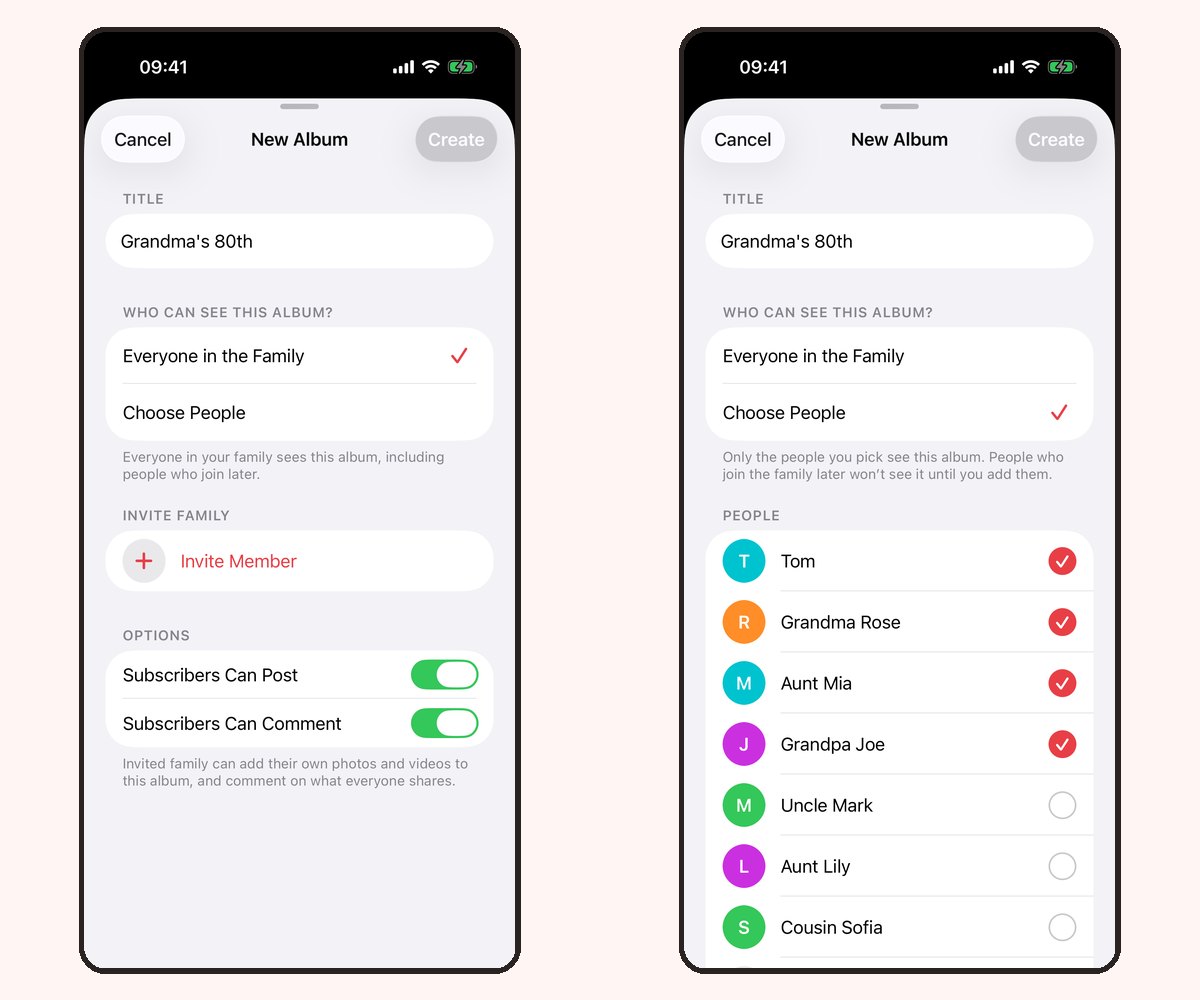
When grandparents live in another town or country, the small moments between visits matter. A family photo album can give them a window into everyday life, without making every update another task for parents.
At a glance
- Start with a sharing routine you can keep, even during busy weeks.
- Add context: a short caption often matters as much as the photo.
- Use the app for conversation or browser links for simple viewing.
- Premium videos can share voices, laughter and movement as well as images.
Make the routine small enough to last
Choose a rhythm that fits your family: a few photos on Sunday, one favorite moment after an outing, or an update whenever something makes you smile. You do not need a daily streak or a perfect record of childhood.
Start with one album for everyday life. Add a separate album for a birthday or holiday when it helps relatives find those memories later.
Tell the story behind the picture
A caption such as “She chose her own shoes today” can make an ordinary photo feel like being there. Explain the little things relatives miss when they live far away: a new game, a favorite song or an expression that runs in the family.
Ask a small question occasionally. “Does this remind you of Dad at that age?” makes space for grandparents to share their own memories.
Choose how each person takes part
In Our Family Album, iPhone and iPad app members can react and comment according to their album permissions. Those conversations stay with the photos instead of disappearing into a separate message thread.
For a relative who prefers to just look, Share without an app in version 1.5 creates a read-only browser link. It works without an app or account, including on Android and computers. Browser recipients cannot comment or upload.
Use separate links for separate recipients and review album audiences before sharing. Anyone with an active browser link can view its album. The grandparents guide explains both routes.
Share moments you want them to hear
A first word or birthday song may be better as a short video. Premium adds video uploads and unlimited photos, with one subscription covering the whole family. Grandparents do not need their own paid plan.
The free plan includes 20 photos per family each calendar month, so you can begin with photos and decide whether videos would add something your family wants. See Free and Premium.
Keep calls and visits in the picture
Use the album to give your next conversation a starting point: “Did you see the picture from the park?” An album works best as something that supports family contact, rather than another obligation or a replacement for talking.
Try the routine with a few people first. Ask which updates they enjoyed and whether opening the album felt easy.
Frequently asked questions
How often should we share updates?
Choose a rhythm you can maintain. A handful of meaningful photos each week can be easier to enjoy than a large upload every few months.
Do relatives in another country need a subscription?
Our Family Album Premium covers the family through one subscription. The free photo allowance belongs to the family as well, rather than each member separately.
Can grandparents see the album on a computer?
Yes, with a read-only browser link in version 1.5. They need the iPhone or iPad app for posting and conversations.