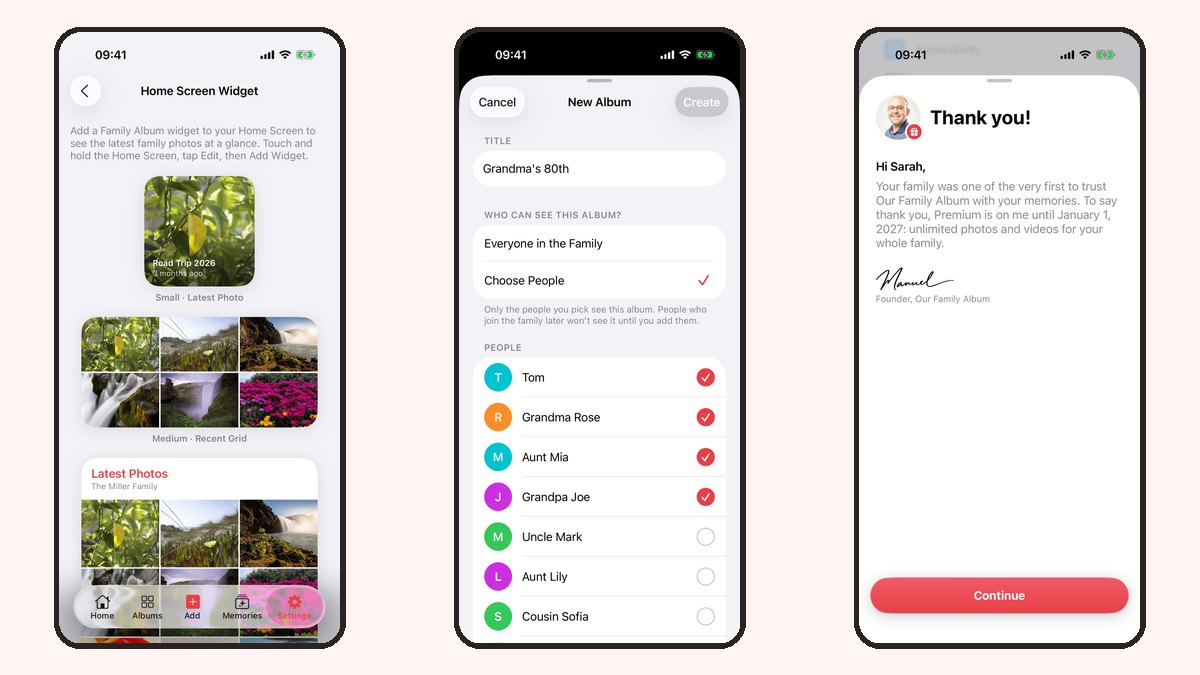
Our Family Album now has Home Screen widgets. They give the photos your family shares a little space on your iPhone, even when you are not opening the app.
There are three ways to display them. Here is a quick look at each one.
One photo, or a few together
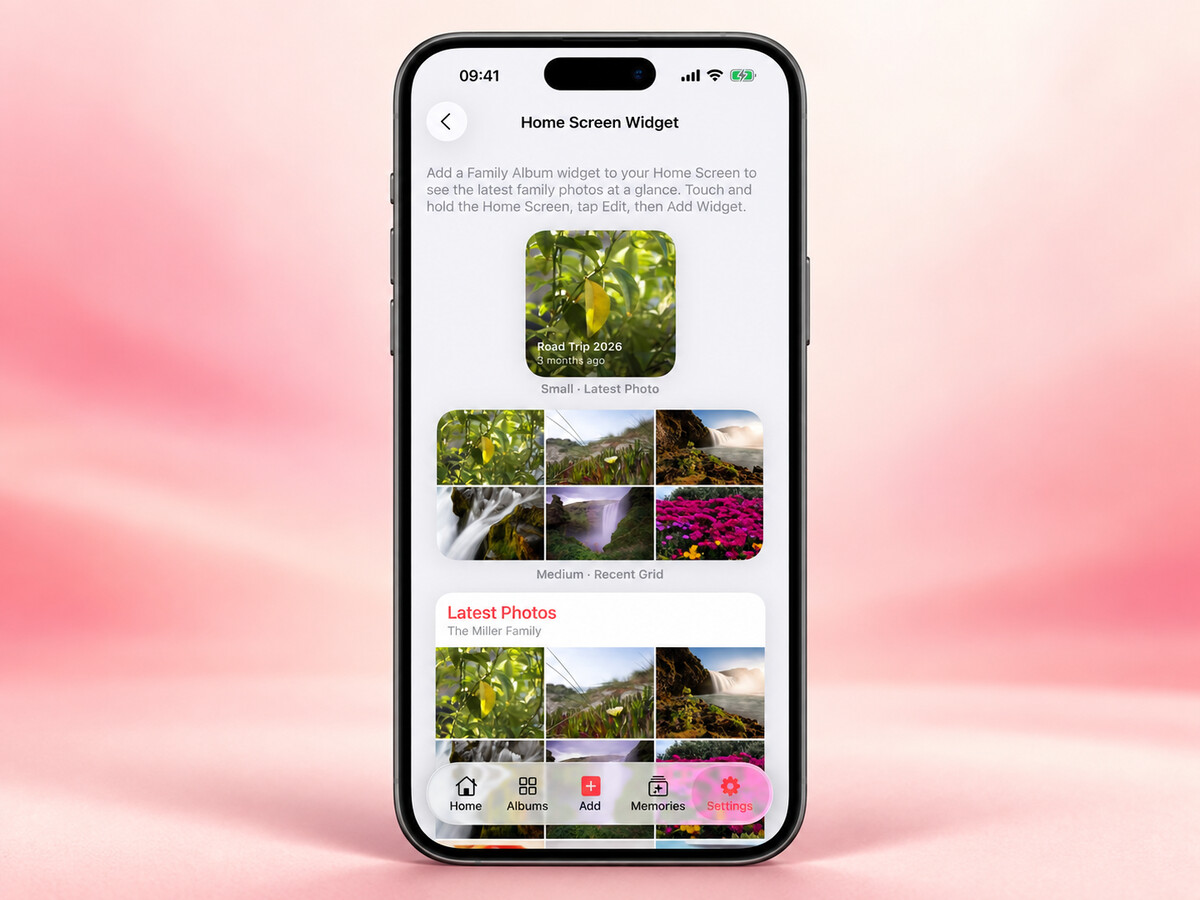
The small widget shows your family's latest photo. It is useful if you want one moment next to the apps you use every day.
The medium widget shows a grid of recent photos, so there is room for more than one picture. The large widget gives you a look at this week's photos.
You can choose the size that fits your Home Screen. The widgets also have light and dark appearances to fit the look of your device.

How to add one
- Touch and hold an empty area of your Home Screen.
- Open the widget picker and search for Our Family Album.
- Choose a size and add it to your Home Screen.
The app has a preview under Settings → Home Screen Widget if you want to see the different options first. Make sure you are signed in and your family has shared some photos.

A little closer to the family
The widget is another way to enjoy the photos already in your family feed. You can still open the app for the full post, its caption and the conversation around it.
A practical detail: a photo widget is visible to anyone who can see your unlocked Home Screen. Choose where you put it with that in mind, just as you would with a favourite photo used as wallpaper.
I would love to hear which size works best for your family, or what you would like to see in the widget next. You can send your feedback here.
Thank you for reading ❤️
Manuel Escrig