Google Photos may already be the easiest way for your family to share an album. Our Family Album offers a separate space focused on children’s moments and the relatives you choose. The right choice depends on the experience you want everyone to have.
Disclosure: I build Our Family Album. This is a comparison from its developer, including reasons to keep using Google Photos. The linked Google help page was checked on October 8, 2026.
At a glance
- Google Photos supports shared albums and sharing by link.
- A dedicated family app can keep updates separate from a general photo library.
- Our Family Album is managed on iPhone or iPad; browser links are read-only.
- Test the experience with your relatives before moving a large collection.
When Google Photos is enough
Google’s sharing guide explains shared albums, direct sharing and links for people who do not use the app. Anyone holding a shared album link can view it; review the album’s sharing controls before sending the link.
If your family already uses Google Photos and can find the updates you share, there may be little benefit in asking everyone to learn another app.
When to try a separate family album
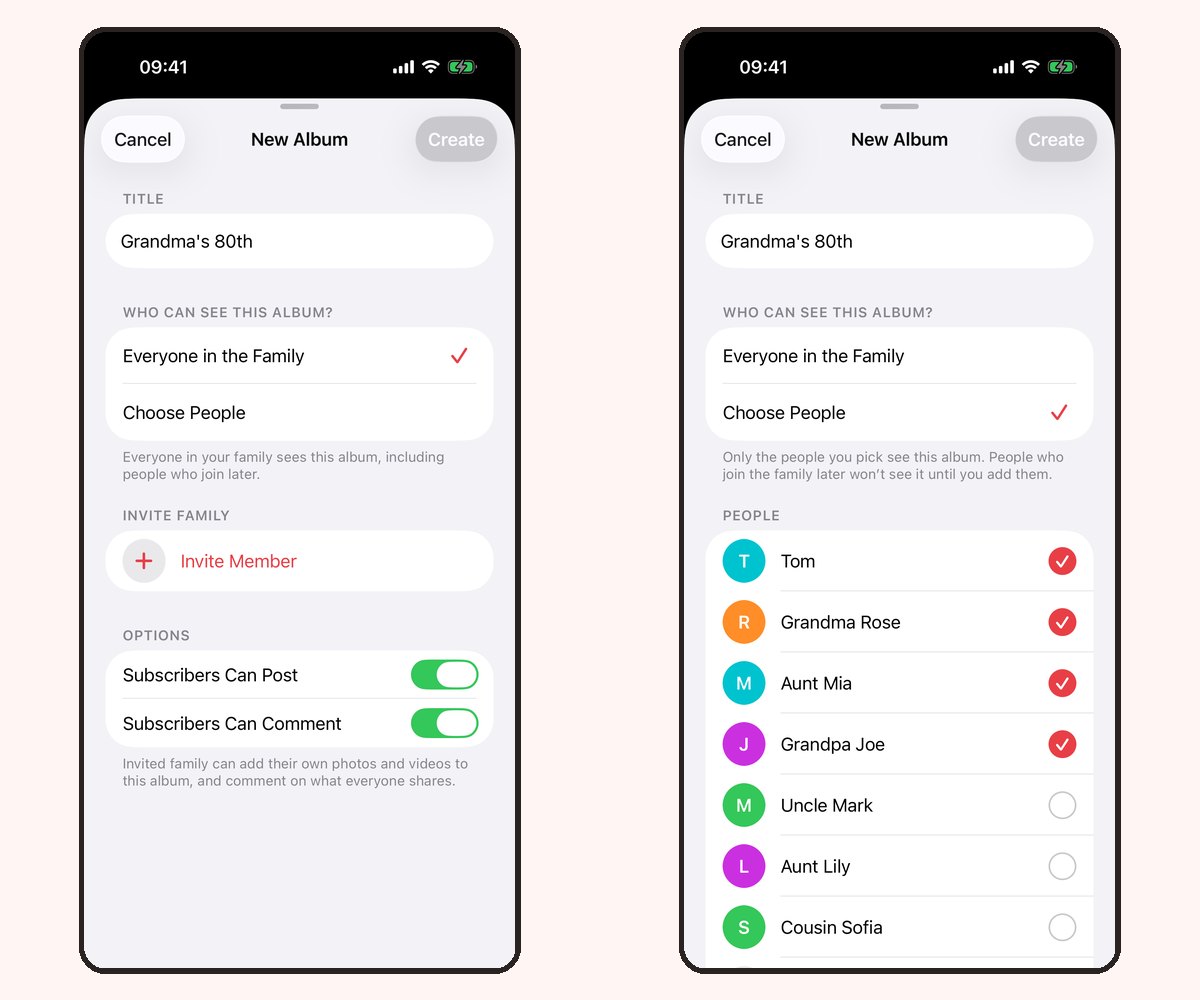
Our Family Album is built around a family’s posts, albums and conversations. Parents use the iPhone or iPad app to create albums and choose their audience. App members can react, comment and contribute according to their permissions.
Version 1.5 adds Share without an app, with read-only recipient links. You can create separate links, choose an expiry and revoke a link when access should end. Anyone holding an active link can view its album, so it should be sent privately.
Compare what matters to your relatives
| Question | Google Photos | Our Family Album |
|---|---|---|
| Is this part of a general photo service? | Yes | A dedicated family app |
| Can I share through a browser link? | Yes | Yes, read-only links in version 1.5 |
| Where do parents manage Our Family Album? | Not applicable | iPhone or iPad app |
| How do I choose? | Check your current sharing setup and storage needs | Check family participation, the photo allowance and Premium |
Be clear about costs
Our Family Album includes 20 photo uploads per family each calendar month for free and has no advertising. Premium adds video uploads and unlimited photos, with one subscription covering the whole family. Review current local prices in the app before subscribing.
This is not a promise that a new subscription replaces your existing photo backup or cloud storage plan. Keep the originals you want to preserve and evaluate the services separately. See our plans.
Try one small album
Use a few photos that relatives will recognize. Ask one iPhone user and one browser-only relative to try the sharing route they would actually use. Check whether they can find the album, understand the invitation and enjoy the updates.
Do not assume automatic migration of old albums or their conversations. Start small and keep your existing collection while you decide. Our first-album guide and grandparents guide explain how to begin.
Frequently asked questions
Is Our Family Album part of Google Photos?
No. Our Family Album is an independent app. Google Photos is a Google product.
Does Our Family Album have an Android app?
No. Parents manage albums on iPhone or iPad. Relatives on Android can view read-only browser links in version 1.5.
Will switching import my existing shared albums automatically?
We do not promise automatic migration or preservation of comments from another service. Test with a small set of photos and keep your original collection while deciding.